Email Inbox
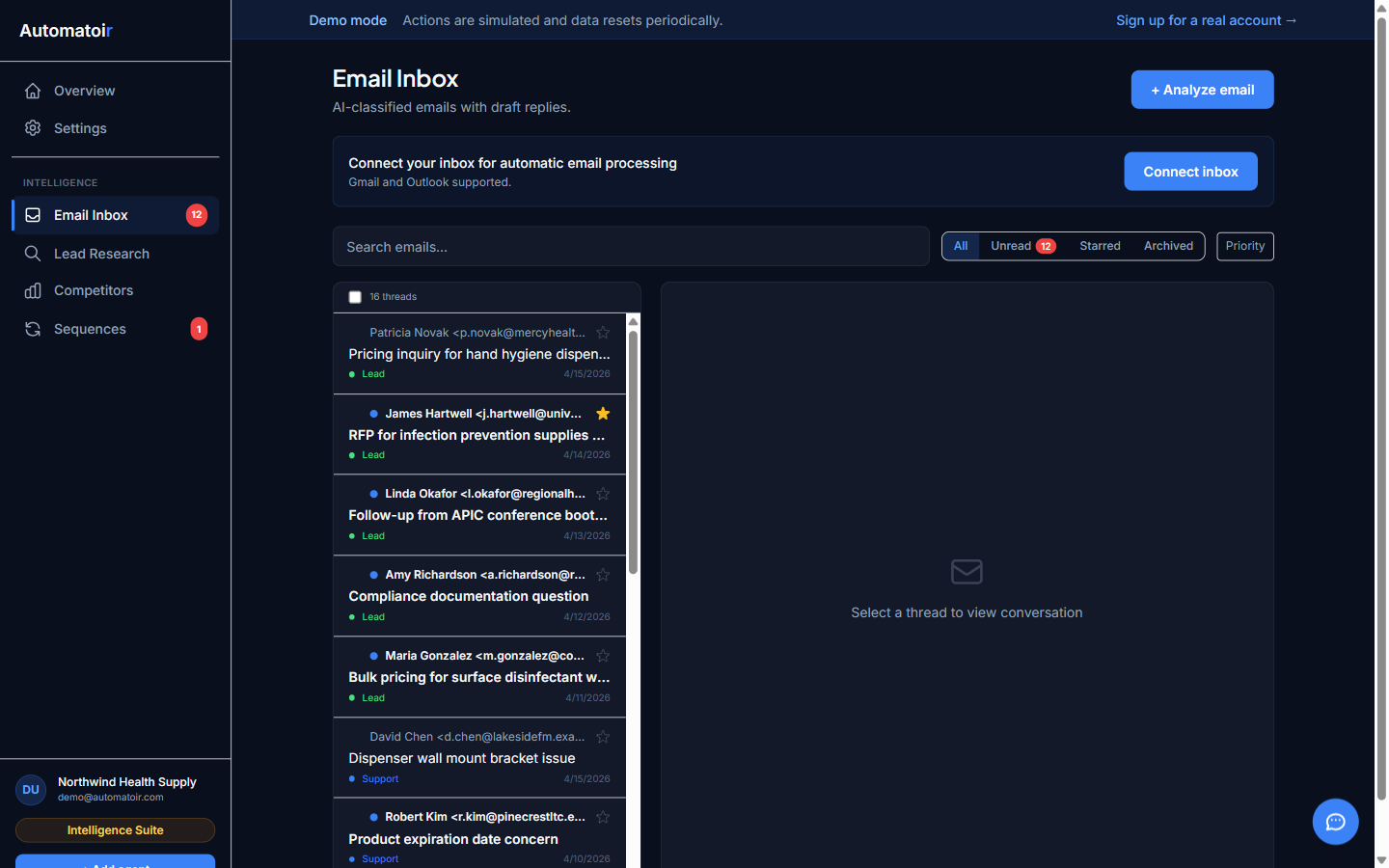
The Automatoir Email Inbox connects to your Gmail account and turns your inbox into a prioritized, AI-powered command center. Every inbound message is automatically classified, and you can draft replies, create auto-response rules, and compose new emails — all without leaving the dashboard.
What the Inbox Does
Once you connect your Gmail account, Automatoir syncs your messages in real time via Nylas. Every email is run through AI to determine its category, urgency, and whether it matches your Ideal Customer Profile. The result is an inbox that surfaces the messages that matter most — prospects and opportunities — while keeping noise like newsletters and spam out of your way.
Features
Real-Time Sync
Messages arrive in your Automatoir inbox within seconds of landing in Gmail. Read status, labels, and threads stay in sync bidirectionally so you never miss a conversation.
AI Classification
Every inbound email is automatically sorted into one of five categories: Lead, Support, Spam, Invoice, or Other. Classification uses your ICP definition and knowledge base context for accuracy. Read the full Classification guide.
AI-Generated Drafts
When you open an email, Automatoir can generate a contextual reply draft using AI. Drafts reference your knowledge base, match your brand voice, and can be edited before sending. You stay in control — every draft is a suggestion, not an auto-send.
Auto-Response Rules
Create rules that trigger actions when incoming emails match specific conditions — keywords, classifications, or a combination. Rules can generate an AI reply, insert a canned response, or save a draft for your review. See the Auto-Response Rules guide.
Compose
Write and send new outbound emails directly from Automatoir. The compose flow supports CC/BCC, prospect lookup, and knowledge-base-powered draft suggestions. See the Compose guide.
Threading
Replies and follow-ups are grouped into conversation threads. You can view the full history of any exchange in a single view, making it easy to pick up where you left off — especially useful when sequences send multiple steps to the same prospect.
Sub-Guides
- Classification — how AI categorizes your email and how to correct mistakes
- Auto-Response Rules — build condition-based rules that reply, draft, or escalate
- Compose — send new outbound emails with knowledge base context
Prerequisites
- Connect your Gmail account — required before any inbox features work
- Define your ICP — improves classification and draft quality
- Upload your knowledge base — gives AI drafts context about your product