Competitive Intel
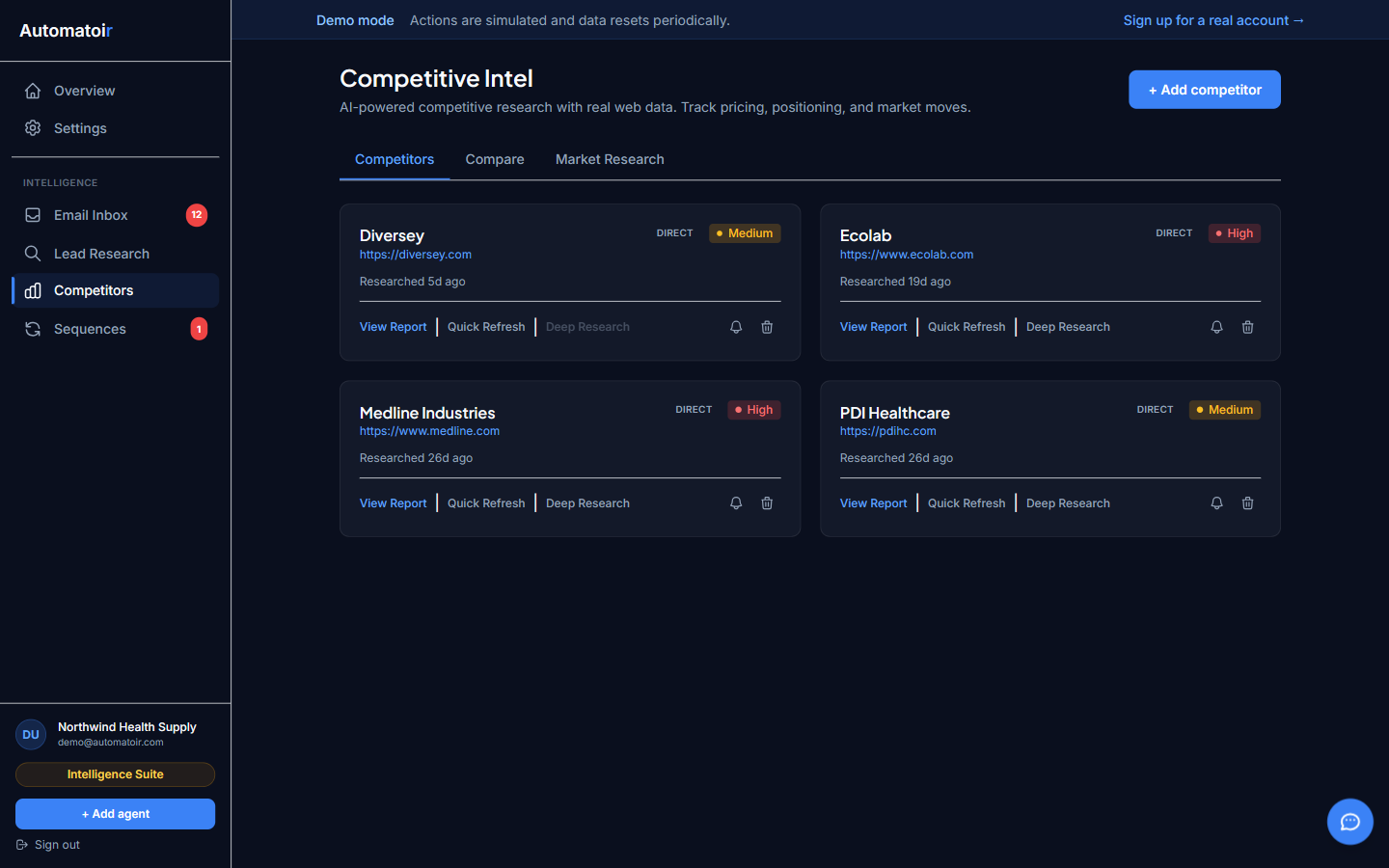
Competitive Intel gives you an always-current picture of what your competitors are doing. Automatoir uses AI-powered research to gather public information about each competitor and distill it into actionable summaries you can review in seconds.
What It Does
- Tracks competitors — Maintain a list of the companies you want to monitor. Add as many as you need.
- On-demand research — Click Check Now to trigger an AI research sweep for any competitor. Automatoir gathers the latest publicly available data — pricing changes, product launches, hiring signals, press mentions, and more.
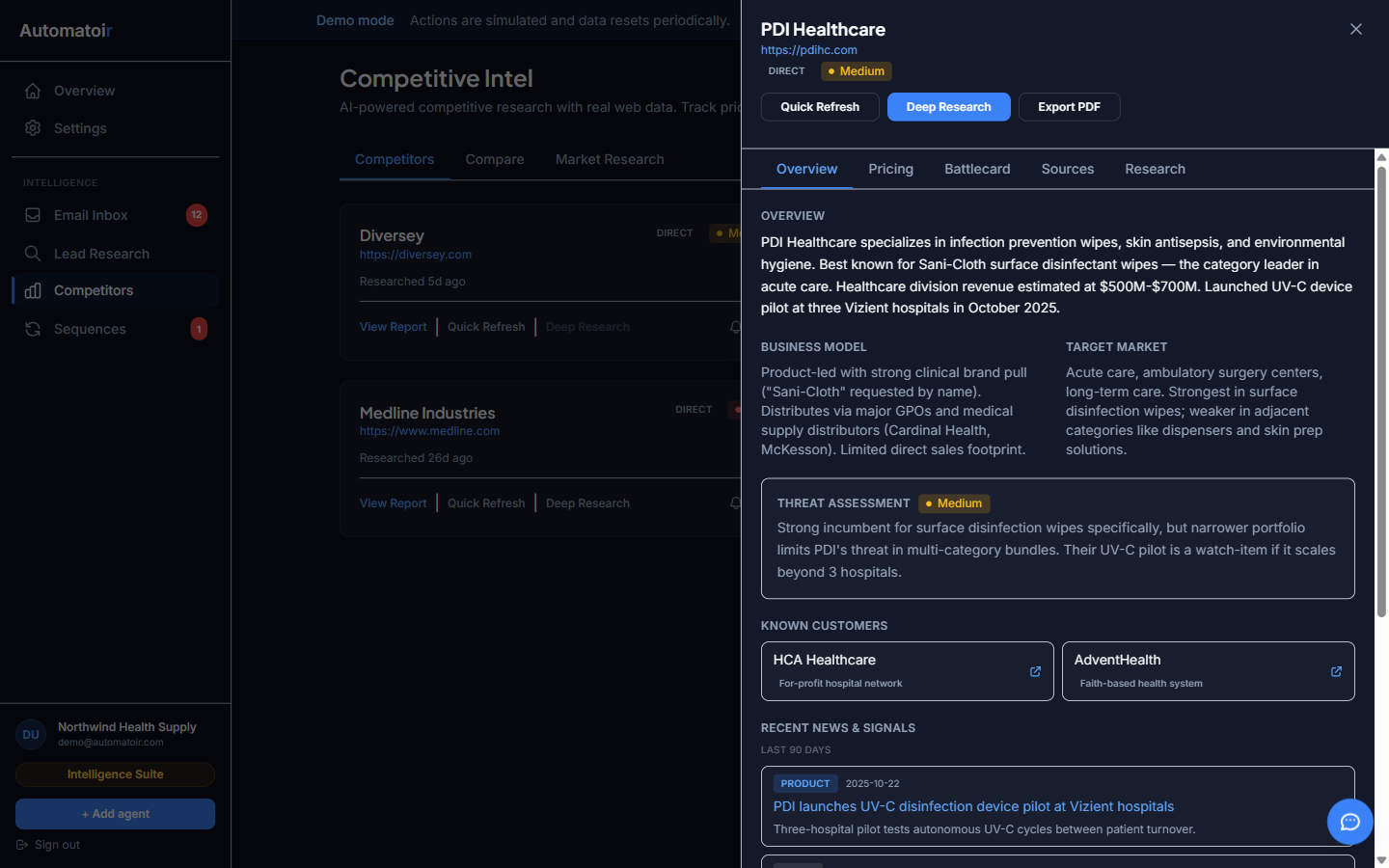
- AI-generated summaries — Automatoir synthesizes raw research into a concise threat analysis with key findings, strengths, weaknesses, and recommended actions.
How it works
The Competitive Intel process has three steps:
- Add a competitor — Enter the company name and website. Automatoir creates a competitor card and marks it as ready for research.
- Check Now— Run an on-demand research sweep. Automatoir gathers public data and generates a structured summary. This typically takes 30–60 seconds depending on the amount of information available.
- Review the AI summary — Open the competitor card to see the full analysis. Each summary includes an overview, key findings, competitive positioning, and suggested counter-strategies.
Detailed Guides
- Adding Competitors — How to add and manage the companies you want to monitor.
- AI Summaries — How to read the AI-generated reports, what each section means, and how to export them.
Related Guides
- Lead Research — Use competitive insights to sharpen your outreach messaging when qualifying prospects.
- Sequences — Reference competitor weaknesses in your outreach sequences.
- Settings — Manage your subscription and view cost tracking for AI research.