AI Summaries
Every time Automatoir runs a competitive check, the raw data is processed by our AI to produce a structured, actionable summary. This guide explains the summary format, how the AI generates it, and how to rerun a check when you need fresh intel.
What You'll Learn
- The structure of an AI-generated competitive summary
- How threat levels are assigned
- How Automatoir analyzes strengths and weaknesses
- How to rerun a check to get an updated summary
Summary Structure
Each competitive summary follows a consistent format so you can scan results quickly across all your monitored competitors:
- Overview— A concise paragraph describing what the competitor does, their target market, and their current positioning. Think of this as the "elevator pitch" Automatoir extracts from their site.
- Threat level — A rating that indicates how directly this competitor overlaps with your ICP and product offering. Threat levels range from Low (tangential overlap) to High (direct, head-to-head competition).
- Strengths — Key advantages the competitor has based on their messaging, feature set, pricing, or market position.
- Weaknesses — Gaps, limitations, or areas where the competitor appears vulnerable based on what their site reveals.
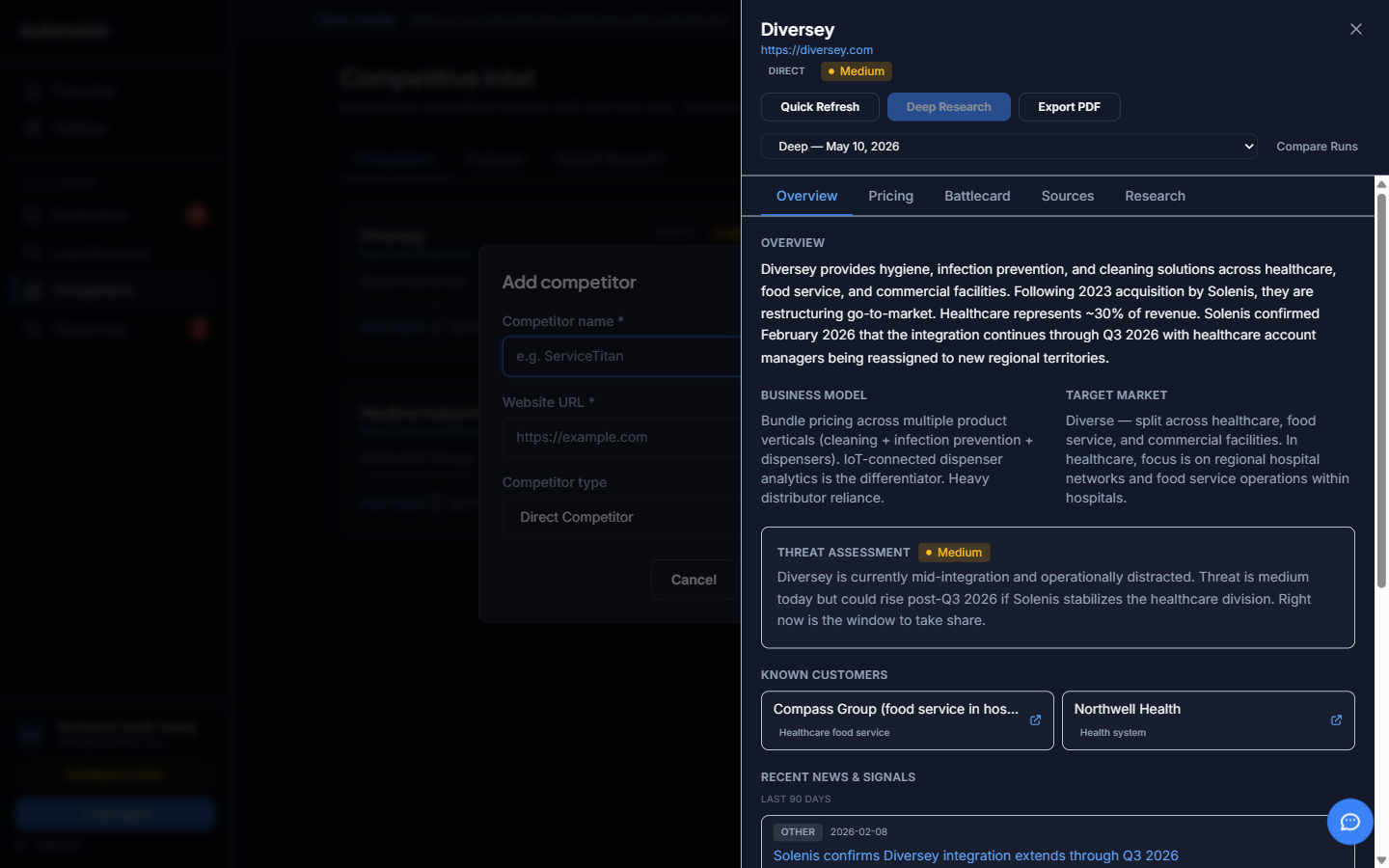
How Automatoir generates summaries
When a check completes, Automatoir processes the scraped content along with your ICP configuration. This context is critical — it allows the AI to assess threat level relative to your specific market, not just in general terms.
The AI considers several factors when generating each section:
- Market overlap — Does this competitor target the same industries, company sizes, or buyer personas as your ICP?
- Feature parity — How much do their advertised capabilities overlap with your product?
- Pricing position — Are they positioned above, below, or at your price point?
- Messaging changes — If this is a repeat check, what changed since the last scan?
Rerunning a Check
Summaries are generated at the time of each check. To get a fresh summary with the latest data, click Run Check on the competitor card. Automatoir re-scrapes the URL, generates a new summary, and stores both the old and new versions so you can compare changes over time.
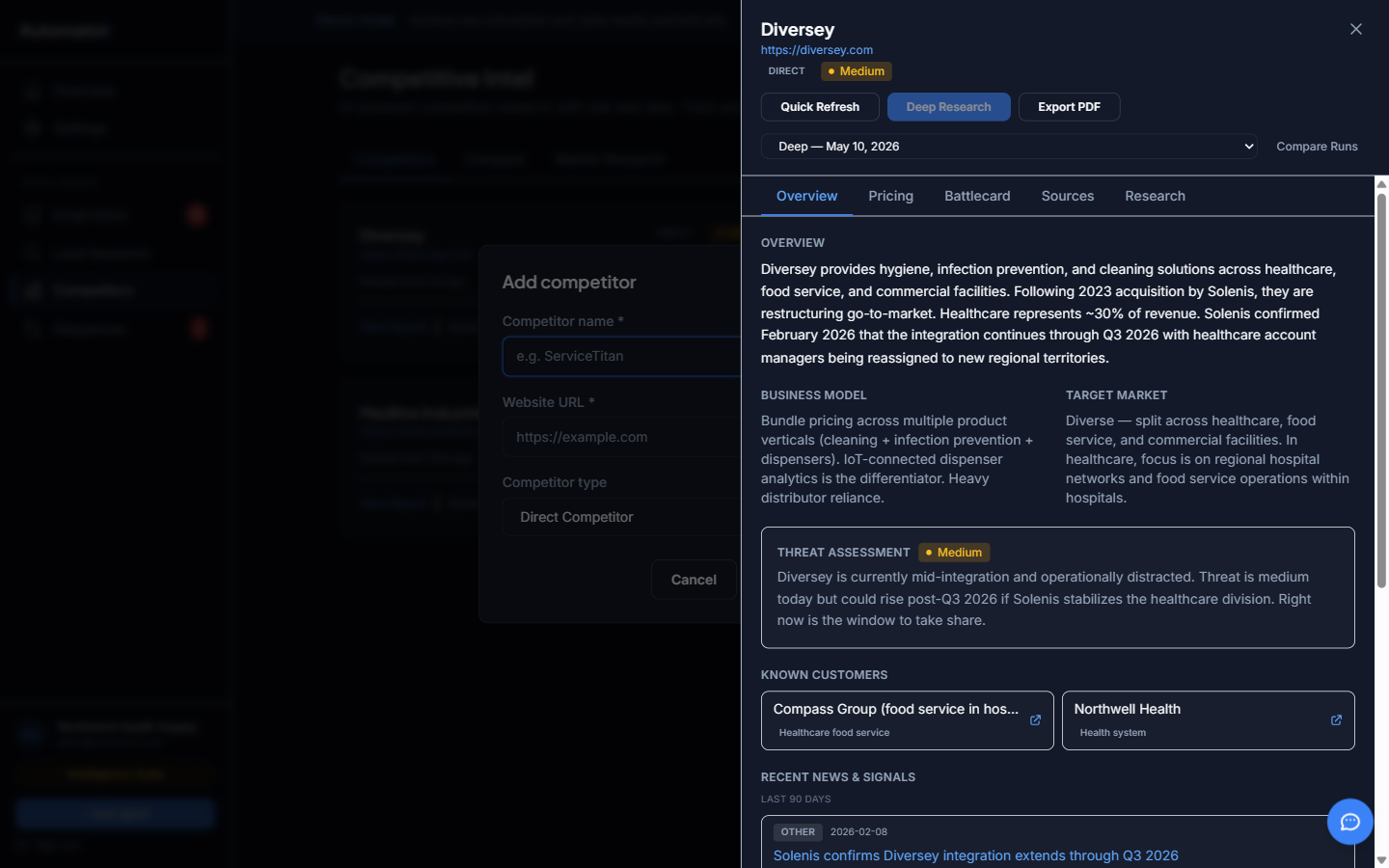
Previous summaries are not deleted. You can scroll through the check history to see how a competitor's positioning has evolved over time.
Related Guides
- Adding Competitors — How to add a new competitor for monitoring.
- Competitive Intel Overview — High-level overview of the competitive intelligence module.